
 |
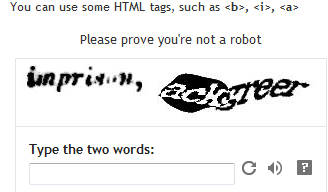
| yes the fuzzy font and its size do not help either |
So please, if you are also annoyed to have to give two words to justify you are not a robot - stop your own verification system... It is simple, and here is how you do it..
If you are still on the old Dashboard Interface, just skip to Step 2. Otherwise, start below at Step 1.
1. Go to your OVERVIEW page, click on the ‘wrench’ icon (far top right corner of your overview page) and select Old Blogger Interface
2. You are back to your old Dashboard, select SETTINGS
3. In the SETTINGS tab you have a few sub-tabs, select COMMENTS
4. Scroll down, you will find word verification yes or no >>>>>> NO
5. SAVE SETTINGS
6. Go back to your DASHBOARD, just above the dashboard box, above the language box, you have 'try the updated Blogger interface'. You are back!!
7. Lucy as prepared a little widget for your blog to show that you turned off your word verification.. Add it to your blog!

I turned it off last weekend, and I have not had any spam (and you may say it is because I don't have as many visitors as other blogs) but I'd rather have to deal with spams and comments, rather than no comment because people are annoyed with my blog..

